Brand Guidelines
APLA Health’s official logomark is comprised of the wordmark lockup with a solid bar in the same color.
The logo should always appear in full white or black. The black logo can be used on white or light colored backgrounds, and the white logo can be used on black, dark, or brightly-hued color backgrounds.
The color of the APLA Health logo should not change. If such a change is believed to be necessary, you must request approval from the Communications department.
Use the horizontal or vertically oriented logo depending on the space ratio available. For flat and wide spaces use the horizontal logo. For square or narrow and tall spaces use the vertical logo.


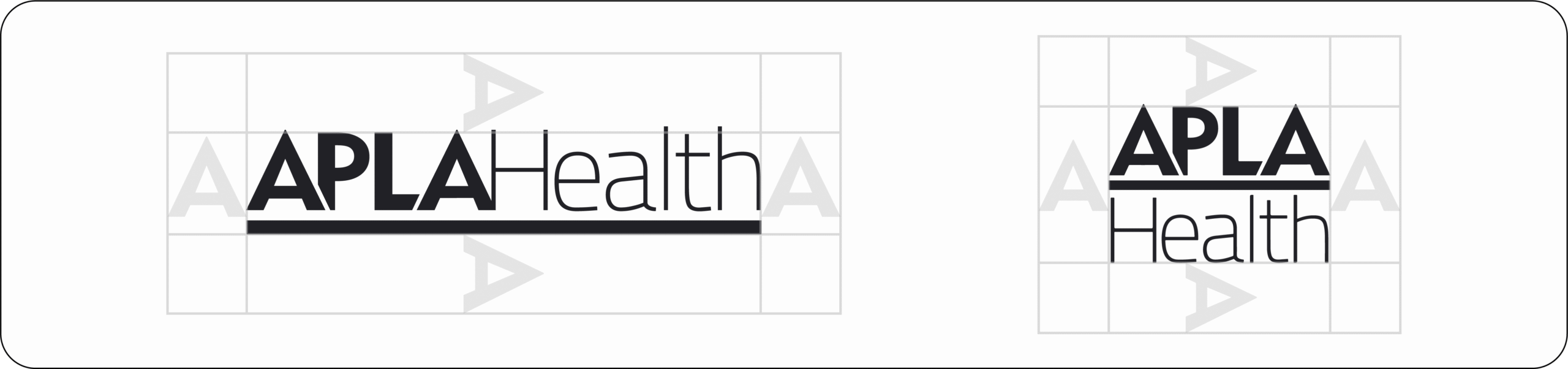
Logo Clear Space
The horizontal logo should never be smaller than 1 inch wide, and the vertical logo should never be smaller than .5 inch tall. Both logos should not be altered in any way.
The clear space around the logo should be equivalent to the width of the letter A in APLA.
Logo Do’s and Don’ts


Color Palette
The APLA Health color palette includes six primary colors, three greyscale colors, two sets of secondary brand colors with a set of twelve dark and light tones variations of the primary colors as well as a tertiary gradient spectrum for accent use. HEX codes are provided for digital use and CMYK values for print use.
The majority of compositions should stick to one color family, possibly including that color’s dark and/or light tones for variance and emphasis. Mixing colors should be restricted to extremely limited use such as multipage executions. When colors are mixed together in a composition, they should stick to the same value range, i.e., all in primary use, or all in dark tones, etc. Using the dark and light tones in compositions allows for more variance for the different programs as well as communicating differing event tones, such as lightheartedness or severity. Main organization programs should focus on the primary brand colors.
Primary & Secondary Colors
Primary Brand Colors

Primary Brand Colors: Greyscale

Secondary Brand Colors: Dark Tones

Secondary Brand Colors: Light Tones

Tertiary Brand Colors: Rainbow Spectrum

Typography
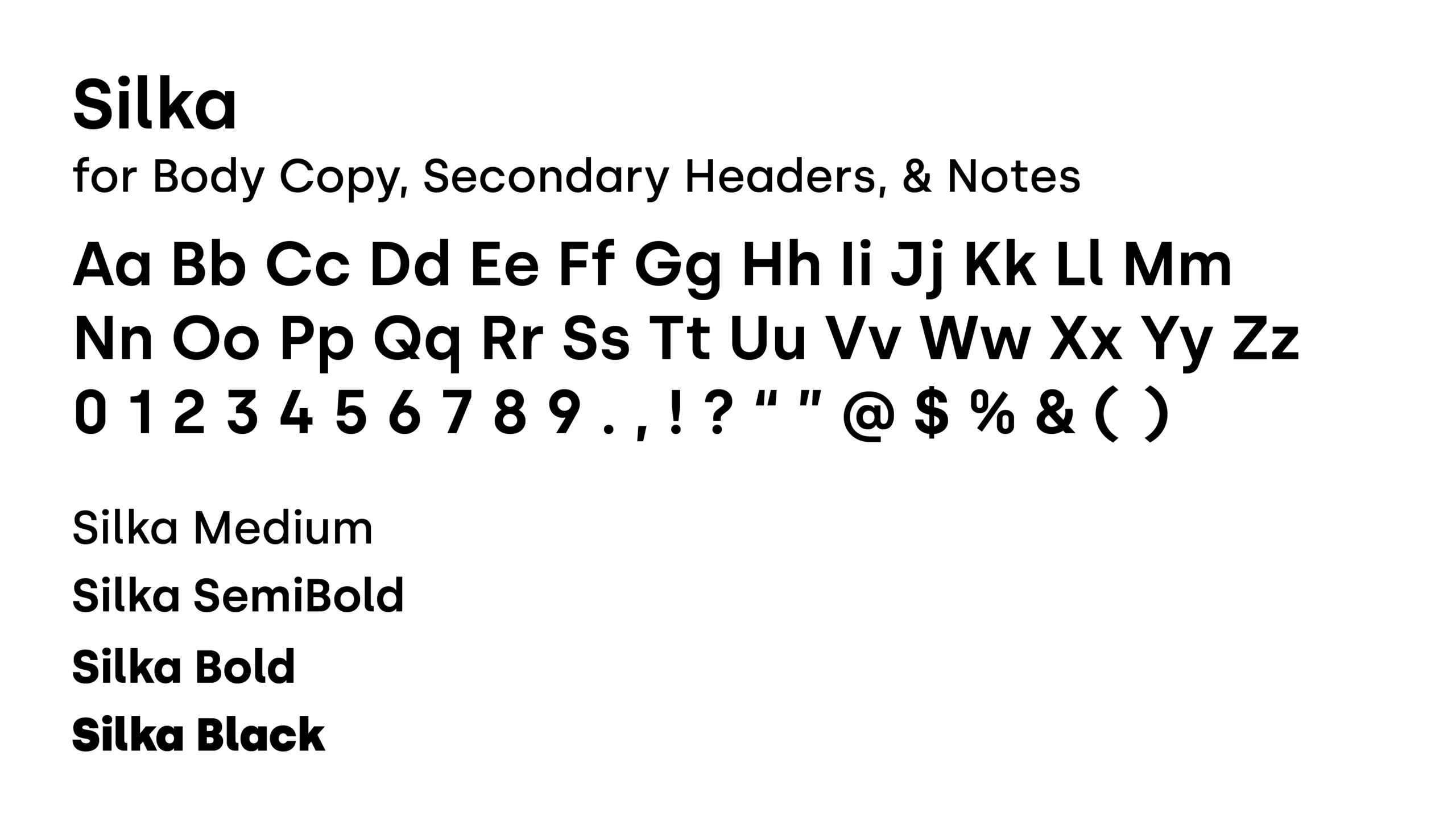
APLA Health’s typefaces are Fields and Silka. Fields has a single weight use case, medium. Fields should be used for primary headers in a composition only. All primary headers should be title case.
Silka has four weights that can be used depending on context including medium, semibold, bold, and black. Silka should be used in secondary headers, body copy, notes, and all other copy in a composition in varying weights. Secondary headers should be set in Silka Bold or Silka SemiBold depending on the size and the amount of copy. Body copy should be set in Silka Medium when the copy is a dark color on a light background, and Silka SemiBold when the copy is white/light toned on a dark background.


External Communications
The application below showcases the usage of our general APLA Health branding. The rainbow spectrum bar is to be used either as an accent to a single side of an asset’s edge, or as a full-section color block to contain the logo.
This instance uses the rainbow spectrum as a background for the logo on our branded folder, and the back flap of our envelopes. The rainbow spectrum converts into a slim accent bar across the top of our letterhead, in close proximity to the logo.
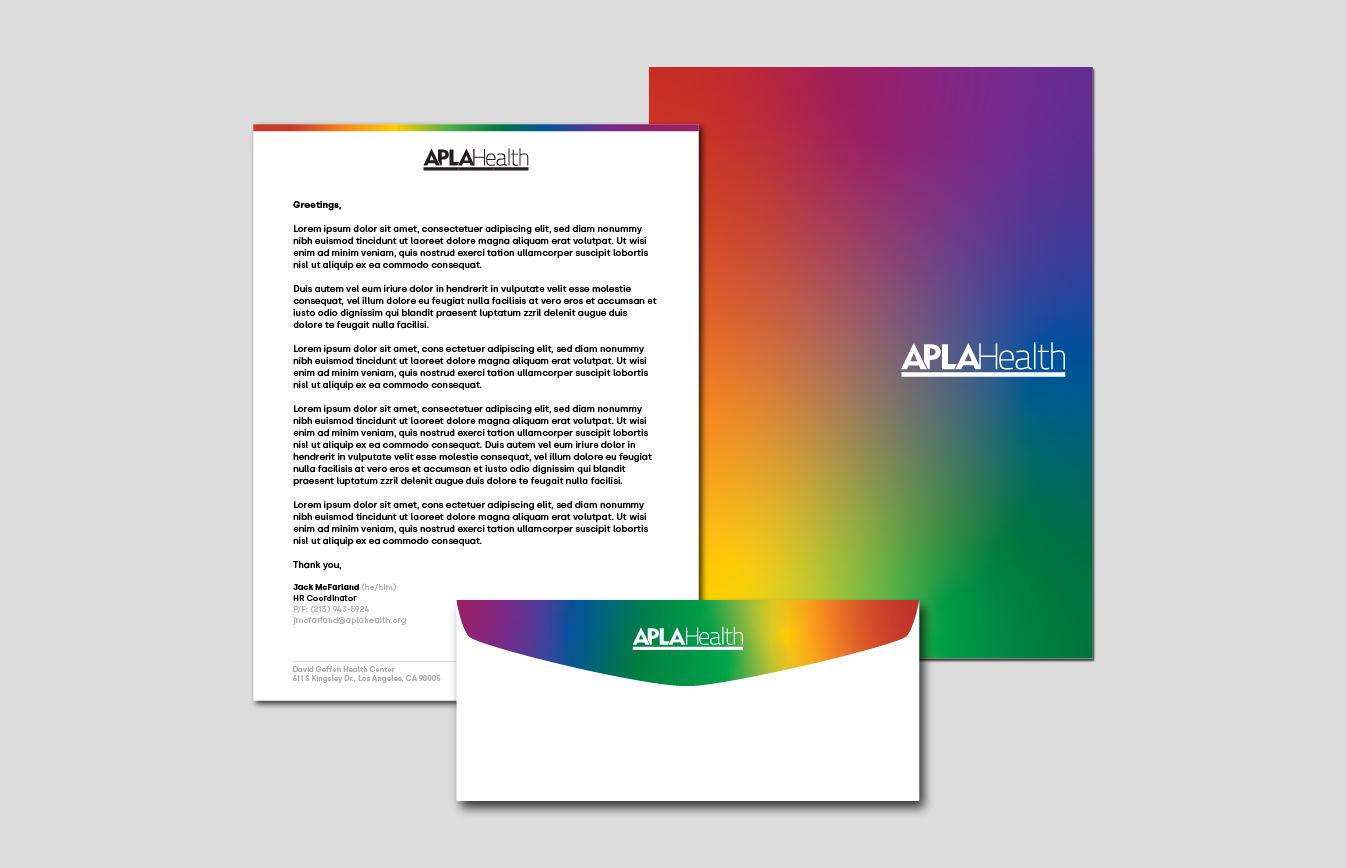
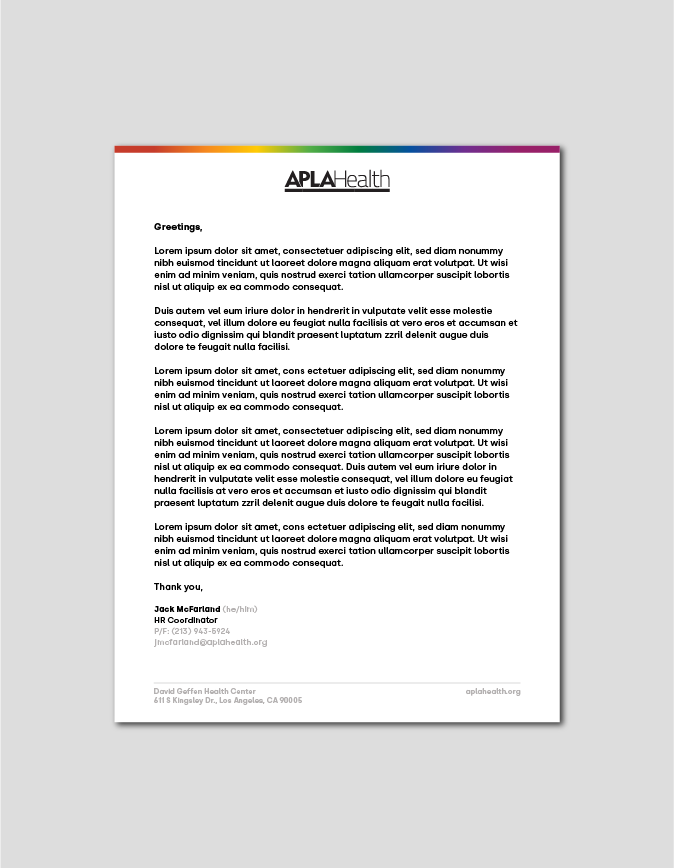
Copy for official APLA Health correspondence should have the salutation in bold with the rest of the body copy in medium 12–10 point font depending on the quantity of content. If there is too much copy even for 10 point font, use a separate page. All copy should be sitting equidistant between the header and footer.
Your signature in printed letters should contain the following elements:
First & last name (bold), followed by optional pronouns in parentheses (gray)
Title
Telephone and possibly fax number (gray)
Email address (gray)
Site name followed by address will be contained in the footer in gray.
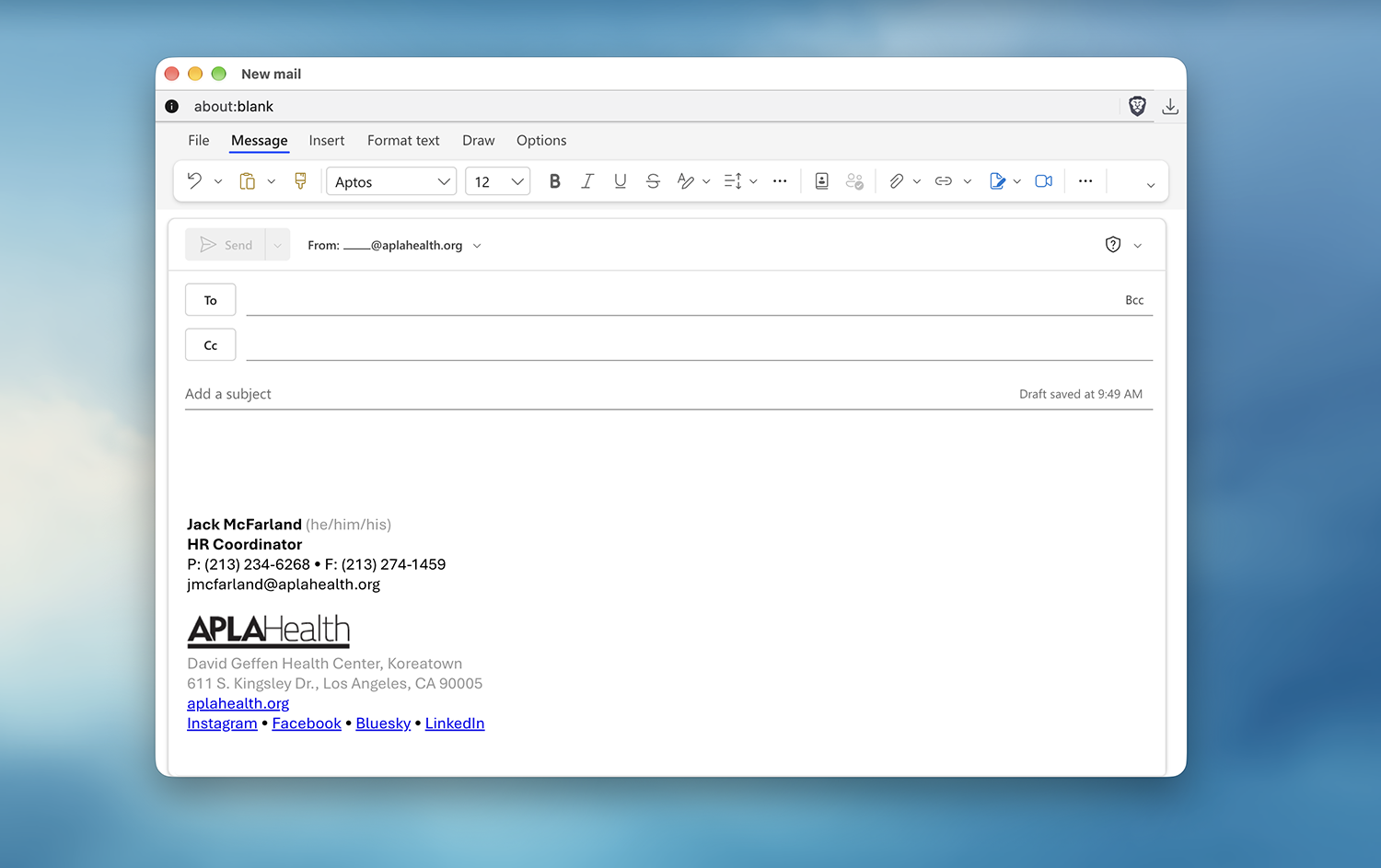
Shown is a basic outline of an email signature when the logo is included.
Your email signature should contain the following elements:
First & last name (bold) followed by optional pronouns in parentheses (gray)
Title
Phone and fax number separated by a bullet character (•). If they are the same number, use “P/F:” instead of separate entries
Email address
The APLA Health logo
Site name followed by address (gray)
aplahealth.org (blue linking to the www.aplahealth.org website)
Our social media links, separated by bullet characters (•)
Included in the template folder below are APLA Health and All Agency PowerPoints, a general APLA Health Word template, as well as a document to copy your APLA Health email signature into Outlook. For any other templates or design needs, please contact the Marketing Department.
Prounoun Suggestions
(she/her/hers)
(she/her/ella)
(he/him/his)
(he/him/él)
(they/them/theirs)
(ze/hir/hirs)
Site Names
David Geffen Health Center, Koreatown
611 S. Kingsley Dr.
Los Angeles, CA 90005
Gleicher/Chen Health Center, Baldwin Hills
3743 S. La Brea Ave.
Los Angeles, CA 90016
APLA Health Center, Long Beach
1043 Elm Ave., Suite 302
Long Beach, CA 90813
APLA Health Center, Mid-Wilshire
5901 W. Olympic Blvd.
Los Angeles, CA 90036
APLA Health Dental Clinic, Downtown Los Angeles
1127 Wilshire Blvd., Suite 1504
Los Angeles, CA 90017
APLA Health Center, CDU/MLK Medical Campus
1679 E. 120th St.
Los Angeles, CA 90059
Gleicher/Chen Health Center Annex, Baldwin Hills
3741 S. La Brea Ave.
Los Angeles, CA 90016
Michael Gottlieb Health Center, West Hollywood
7531 Santa Monica Blvd.
West Hollywood, CA 90046
APLA Health Pharmacy
7531 Santa Monica Blvd
West Hollywood, CA 90046
Boilerplate Language
APLA Health (formerly AIDS Project Los Angeles) restores dignity and trust within underserved communities by providing world-class LGBTQ+ empowering healthcare, HIV specialty care, food, housing, and other essential support services.
Since our founding in 1983, APLA Health has remained steadfast in our commitment to ending the HIV epidemic in our lifetime. We operate eight Federally Qualified Health Center (FQHC) locations in Los Angeles County, serving more than 22,000 people annually, regardless of ability to pay.
Our list of comprehensive services includes LGBTQ+ primary care, dental care, mental healthcare, HIV specialty care, STD screening & treatment, PrEP, PEP, and DoxyPEP. For people with HIV, our wraparound support services include housing assistance through the Alliance for Housing & Healing and nutritional support via the Vance North Necessities of Life Program — the largest food pantry in the United States for people with HIV, distributing over one million meals annually. APLA Health’s annual fundraisers include AIDS Walk LA (the world’s first and oldest AIDS Walk) and Best in Drag Show.
We are leaders in advocating for policy and legislation at the local, state and Federal levels that positively impact the LGBTQ+ and HIV communities. For more information on APLA Health, visit aplahealth.org.
Asset Creation

There are three main ways to style posters, flyers, and advertising; the first two shown are when assets are printed with full bleeds by a vendor.
Header text should be set in the typeface Fields, medium weight, and in title case. Subheads should be set in the typeface Silka, bold weight, and title case when short or a fragment, sentence case when very long or contains multiple sentences. Body copy should be set in Silka, medium weight when the copy is dark on a light background, and semibold weight when light on a dark background. Copy can be inside or outside of containers as long as relevant information is grouped together, and clear hierarchy is established. Copy that should be emphasized can be set in an accent color within the same hue family of the asset; can be for parts or all of headers, subheads, or specific body copy.
When copy is set both inside and outside of a container AND the copy outside is right aligned, make sure that outside copy is aligned to the center of the clear space in the container between the edge and the inside copy. Please see the diagram below for clarity.
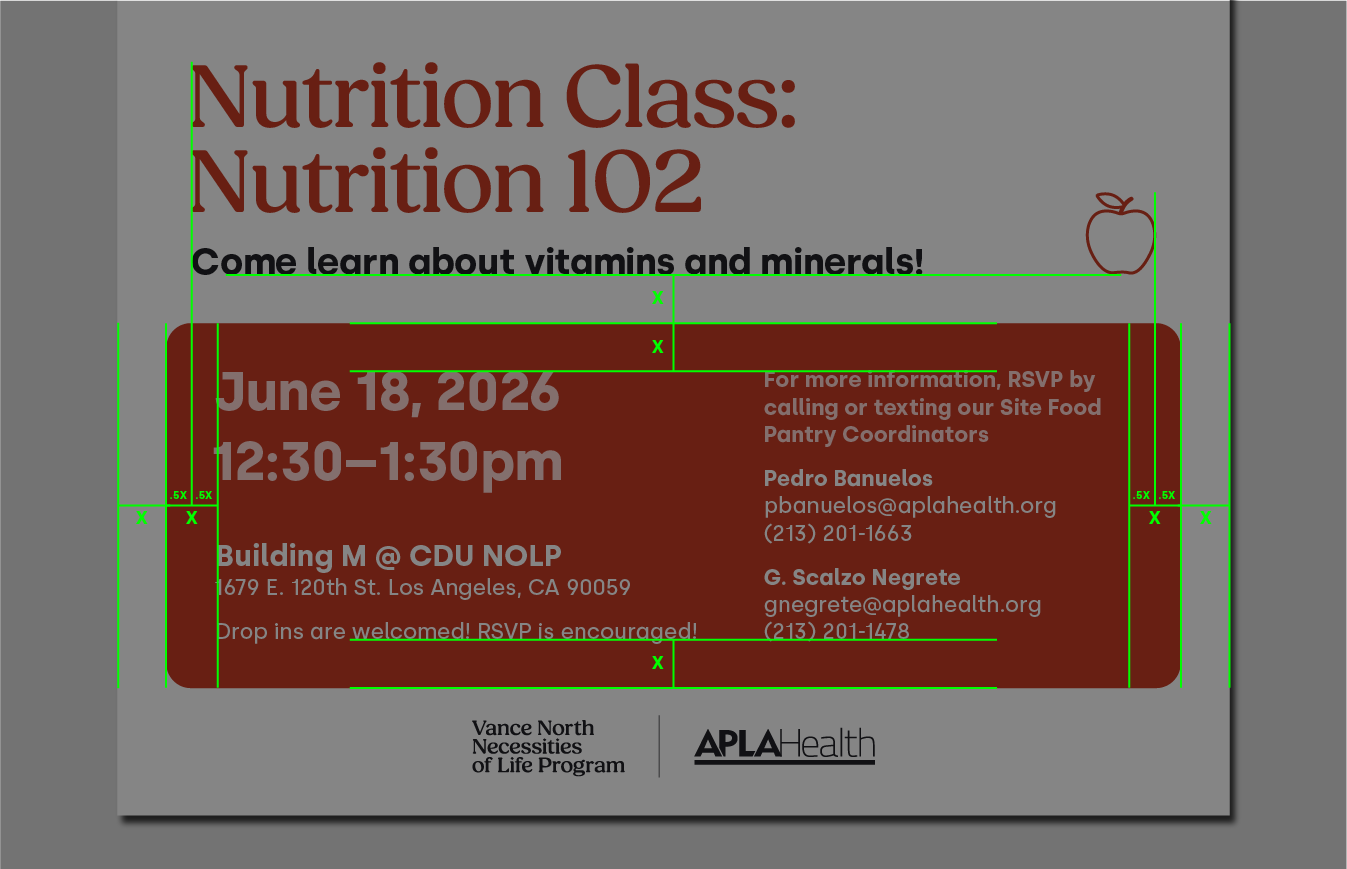
The rainbow spectrum should be applied thinly to the shortest side of the asset. IE: if the asset is portrait in orientation, apply the rainbow to the top or bottom. If the asset is landscape in orientation, apply the rainbow to the left or right side. The rainbow spectrum should bleed off the page and run the entire length of the edge it’s on.
Icons are optional; if they are used there should only be one in the composition, and often will look best juxtaposed in relation to the header. Either on the opposite side, above, or diagonally from the header. Sometimes the header may take up too much space, in which case the icon can be omitted or fit into a location with empty space in another are of the composition.
The APLA Health logo should always be in the composition; and will often look best in close proximity to the rainbow spectrum, but this is not mandatory. Often the logo should be the last element on the page (bottom, or bottom right corner) but this is not mandatory. When an asset is part of one of APLA Health’s sub-brands or in collaboration with another organization, use a short rule next to our logo, and then the other program’s wordmark or partnering org’s logo. If it is a sub-brand of APLA Health, the sub-brand should come first, and APLA Health should be next. If it is a collaboration with an outside organization use the APLA Health logo first, and the partner org’s logo second. Use the logo clear-space guidance above to measure proper distance between our logo and the rule, and then the rule and the secondary wordmark/logo.
When the asset uses containers, they should have rounded corners. Containers can either sit next to other containers or overlap with each other for dimension and visual interest. They can bleed off the page (don’t round corners when they touch the edge of the page), they can all sit within the page, or there can be a blend of both. If containers overlap, make sure to give written content enough clear space for legibility and aesthetics.
Most assets should keep to using only one photo per surface; multiple photos can be used when needed but this should be rare. When a photo is enclosed in a container, it should have rounded edges and either sit next to other containers, content, or overlap with containers for dimension and visual interest. Containers with photos should always be “on top” of other containers if overlapping. If the photo is used to take up the entire composition as a background, ensure that the rest of the content and elements follow the previously established structure and formatting. Use a gradient of black-to-transparent over the photo (but under the content) to ensure the content is legible. When doing so, make sure the subject of the photo is not obscured (do not cover faces or bodies if preventable). Alternatively you can set content in a container instead, or a hybrid of both as long as relevant content is grouped together.
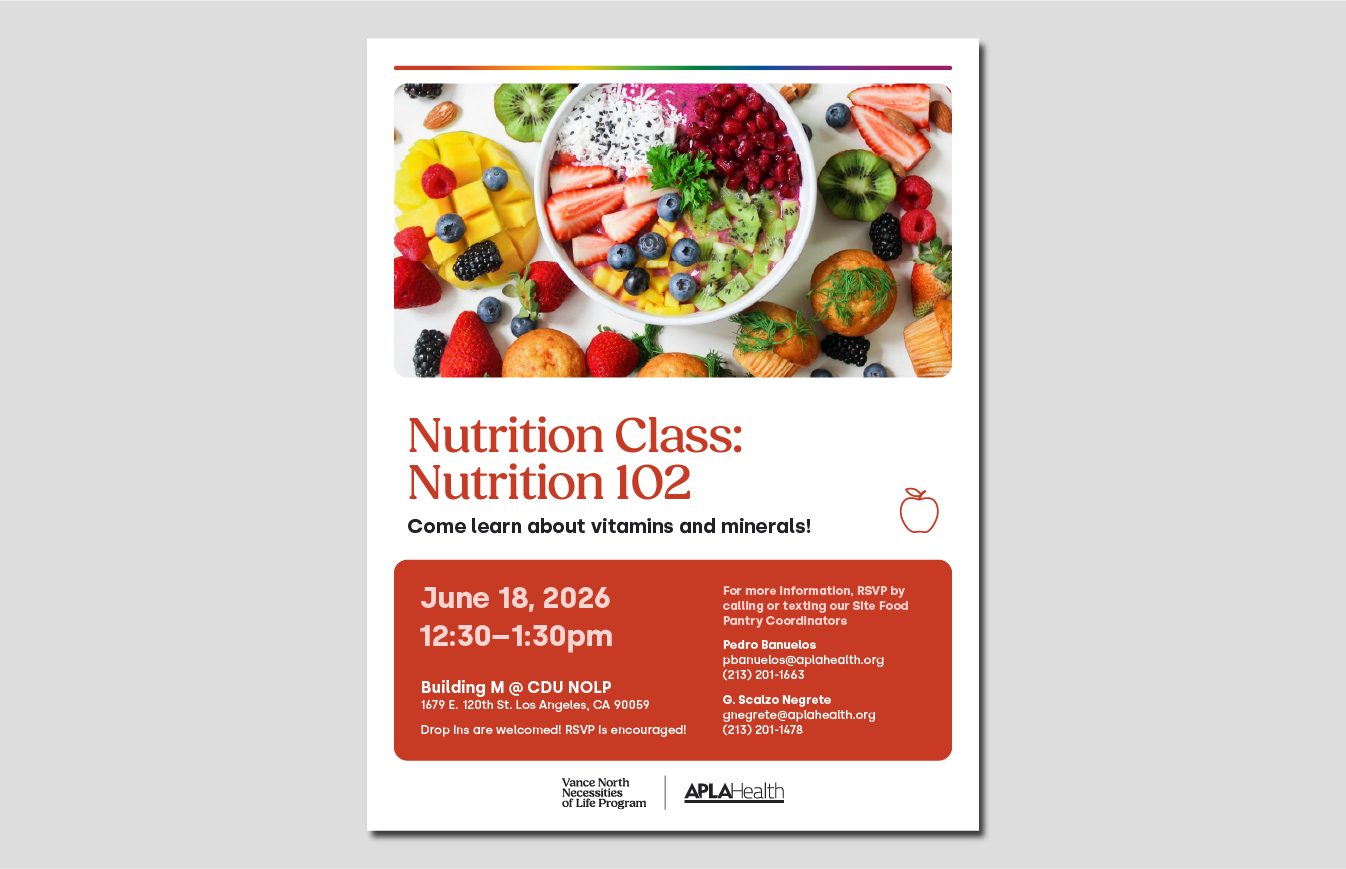
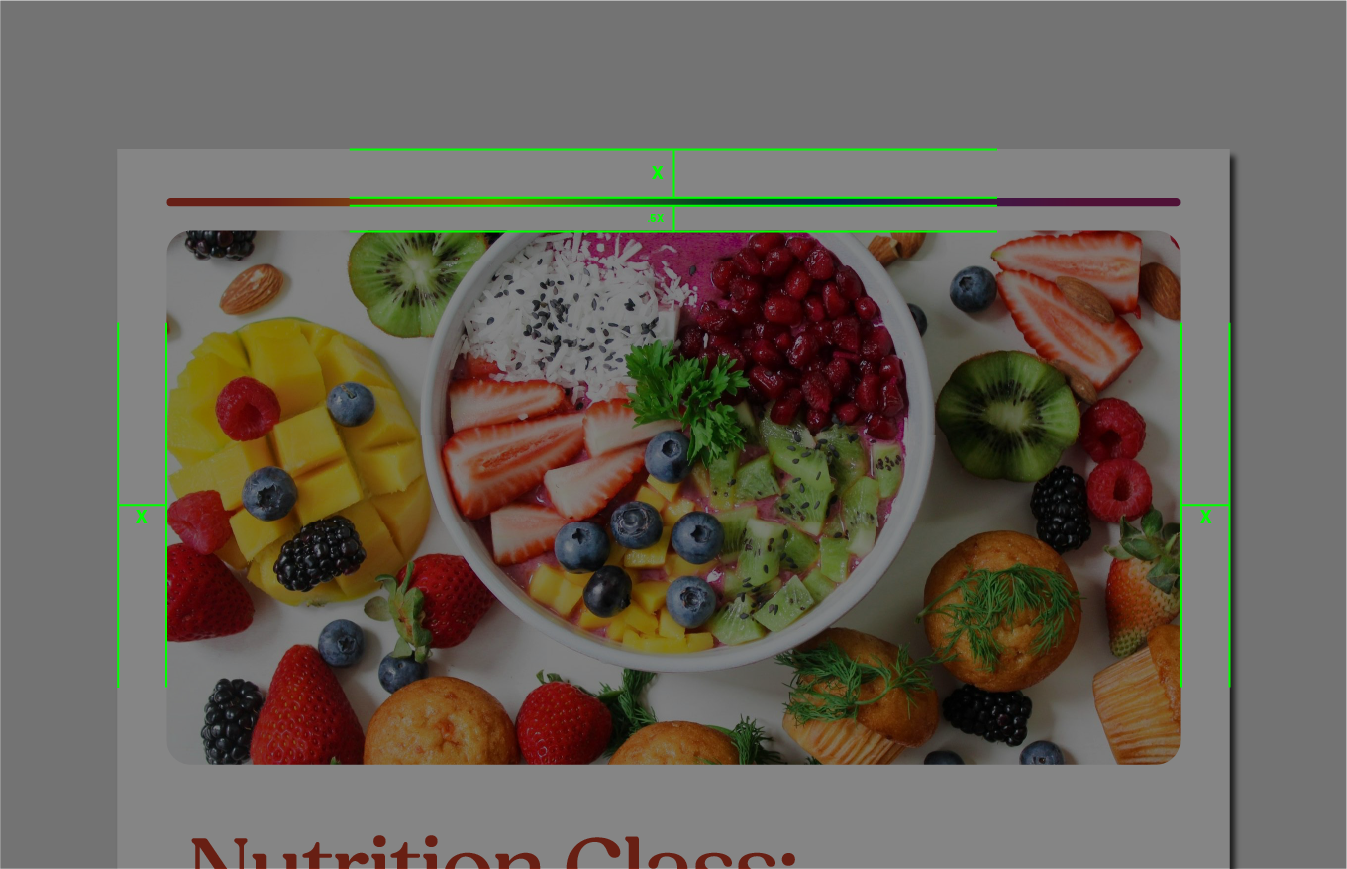
When assets will be printed in-house on office printers, in which there will be white borders around the page, there must be slight changes to the composition to make the asset look intentional and minimize printing limitations. Because of this, containers should not bleed off the page, and always all sit inside the asset, though containers can still overlap is desired.
Additionally the rainbow spectrum must transform from an accent that bleeds off the edge, into a thick line that nestles next to a container, away from the edge. The spacing away from the container should be half the spacing away from the edge of the asset. Like before, it should follow the shortest side of the asset. IE: top or bottom if the asset is portrait, and left or right side if the asset is landscape.
If desired, the background can be in color, but must have rounded cornering so the background acts a s a large container. Consider spacing for the rainbow spectrum in such cases.
The rest of the styling should follow what has been established above.